> For the complete documentation index, see [llms.txt](https://oido.gitbook.io/hilfe/llms.txt). Markdown versions of documentation pages are available by appending `.md` to page URLs; this page is available as [Markdown](https://oido.gitbook.io/hilfe/help/settings/my-establishment.md).
# My establishment
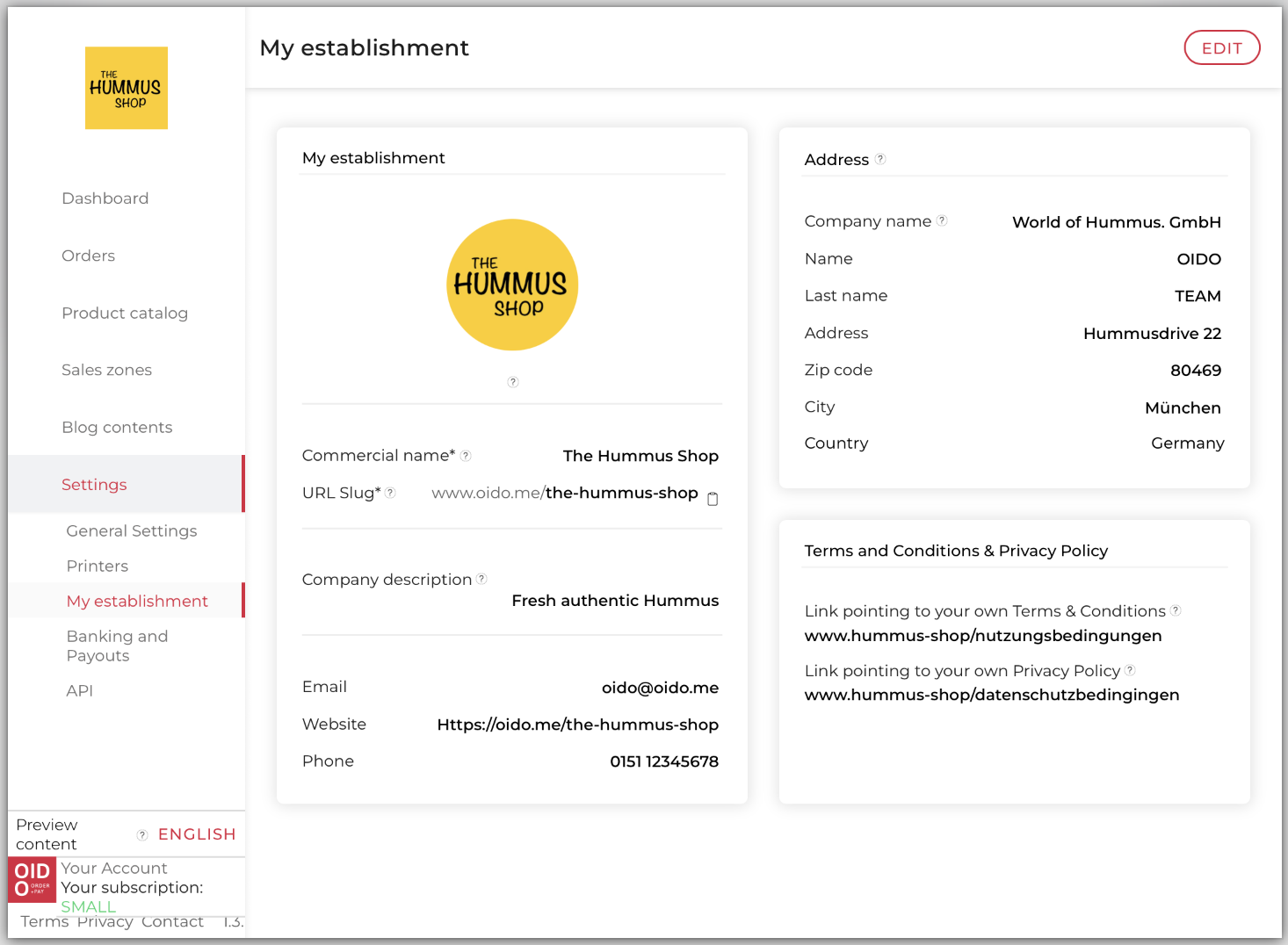
You can define all basic business settings under this menu item. On smaller screens, you may need to expand the navigation menu at the top left using the “3 lines” symbol.
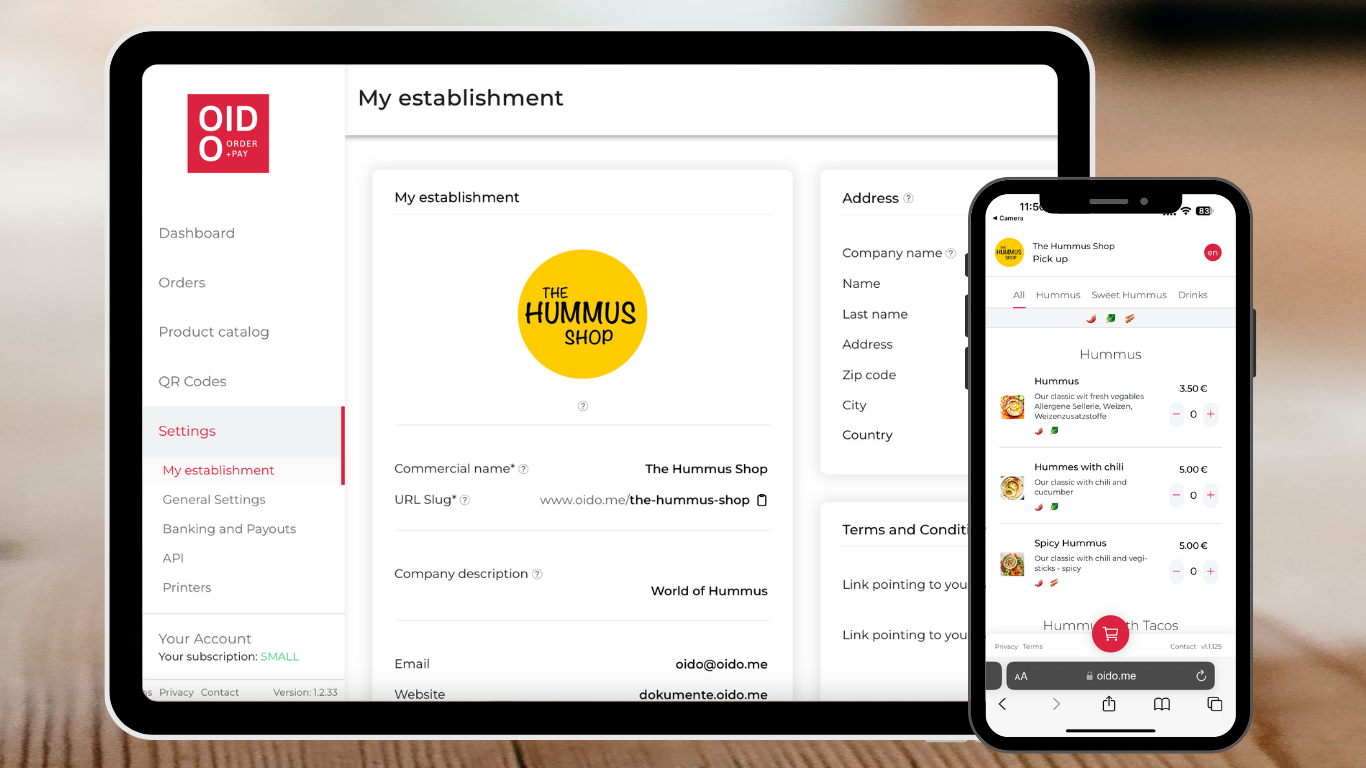
For all basic operational settings, select SETTINGS - My establishment.
To enter your data, click on the “Edit” button.
***
### My establishment: Logo
Add a square image file in jpg or png format. A size of approx. 500 x 500 px provides the best results.
The logo is used to display your company logo in the top left-hand corner of the menu and on the customer receipt.
Your logo appears on top of your product catalog
***
### My establishment: Commercial name
Enter the brand name here, e.g. *Hotel Eden* or *Gabriele's salad dressings*.
The brand name is used in the menu at the top left and on the customer receipt as well as in your personal web address, e.g. .
***
### My establishment: URL-Slug
The URL Slug is your online address for sharing on your website or in social media. It is defined during registration.
If your web address is already taken, OIDO will add a number to the name. In the URL abbreviation field, you can change your web address, e.g. to ;
You can copy your online address by clicking on the clipboard symbol.
***
### My establishment: Company description
The company description appears briefly on the loading screen together with your logo and company name.
Underneath enter your contact details.
***
### My establishment: Address
Enter the address of your point of sale here. This address will be displayed in the OIDO web shop on the customer's mobile phone under CONTACT.
{% hint style="info" %}
To ensure that your company address appears on the customer receipt or invoice, please enter the data in the settings under TAX.
{% endhint %}
***
### My establishment: terms and Conditions & Privacy Policy
OIDO provides [standard data protection conditions](https://dokumente.oido.me/privacy/) on the menu.\
If you wish to deviate from this, you must copy and paste a link to your own Terms and Privacy Policy of use here.
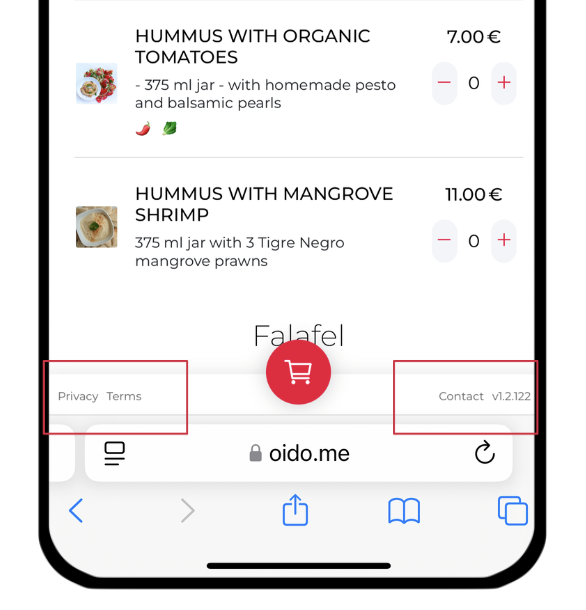
These links will be displayed at the bottom of the catalog.
The product catalog contains links to the contact address as well as data protection and general terms and conditions.
***
[‹ Return to the OIDO website](https://www.oido.me/en)